Sana AI
What Sana is for
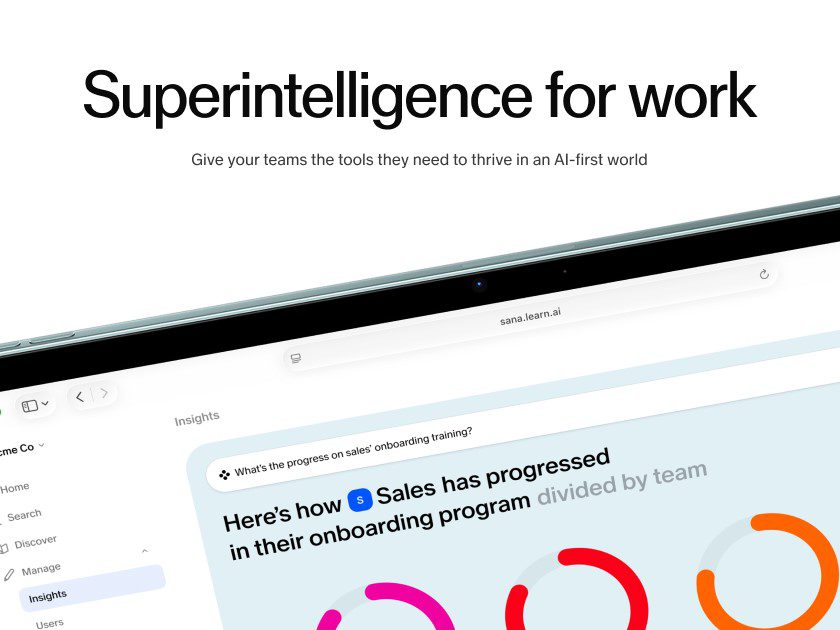
Sana is an enterprise AI platform for work. Its current product page describes AI agents that can search company knowledge, work across connected applications, analyze material, draft content, and take actions through approved tools. Sana Agents is the agent and enterprise-search product. Sana Learn remains a separate AI-native learning platform, so a buyer should establish which product and contract scope they are evaluating before comparing prices or integrations.
Sana became part of Workday after Workday announced its acquisition in September 2025. The product now also appears in Workday material as “Sana from Workday.” That matters for teams considering HR, finance, or Microsoft 365 workflows, but it does not turn Sana into an automatic answer engine. The quality of any answer still depends on the source content, the requesting user’s permissions, and the agent’s configuration.
A practical first workflow
Start with a recurring question that already has a clear human owner. An onboarding lead, for example, can connect the approved handbook, benefits policy, role guide, and a limited set of training material. Ask the agent for an answer with links or source locations, then have the owner check a small set of real questions against the originals. Record unanswered questions and bad matches before adding more data or automating a follow-up action.
Sana’s help center says search results and its assistant use content the individual user is allowed to access. That permission boundary is useful, though it still needs an implementation review. A result can be permission-correct and still be stale, incomplete, or too broad for an employee to act on without checking the policy.
How to roll it out carefully
- Choose one question family first. Start with employee policies, sales preparation, or support knowledge. Combining all three makes it hard to tell whether a poor answer came from retrieval, source quality, or the prompt.
- Clean the source set before connecting it. Mark an authoritative policy, remove superseded copies, and give each document an owner. A polished answer built from an old handbook is still wrong.
- Ask for evidence with the answer. Require a document name, section, or link for material claims. Test whether a reviewer can reach the source without guessing.
- Match access groups to existing permissions. Check what a new hire, manager, contractor, and administrator can each search. Run leaver and role-change tests before loading sensitive material.
- Keep actions behind approval at first. Search and summarization are easier to audit than sending an email, updating a record, or changing a system. Add action steps only after the team has reviewed a stable query workflow.
- Measure misses, not just fast answers. Keep a small log of unsupported answers, missing sources, access problems, and time saved. That provides a better renewal signal than a demo conversation.
Plans, data controls, and procurement
Sana’s public product page lists a Free plan with up to five workspace members, ten meetings per month, 1,000 documents per integration, meeting and common knowledge integrations, and help-center support. The listed Team plan is $30 per user per month, supports up to 50 members, and adds unlimited queries and meeting recordings, a broader set of listed integrations, model selection, an enterprise data processing agreement, and a 10,000-document limit per integration. The Enterprise plan is custom-priced. Features and limits can change, so treat the current product and plan page as the source of truth rather than relying on an old quote.
The same page advertises SAML single sign-on, SCIM, audit logging, regional deployments, advanced permissions, SOC 2 Type 2, ISO 27001, and GDPR compliance for enterprise use. Sana’s security help article provides further vendor detail. Procurement should still confirm the contracted data region, retention and deletion terms, model-training commitment, subprocessors, logging, administrator roles, and the exact integrations enabled for its own workspace. The help center also says that a free Sana Agents account created by an individual with a company email is controlled by that individual, not by the employer. Organizations that need account governance should not assume a collection of personal free accounts gives them that control.
Where it fits and where it does not
Sana fits an organization with repeatable knowledge work, maintained source material, an identity and access model, and people who can own corrections. It can be especially useful where staff lose time looking across meeting notes, policy documents, shared drives, and work applications. Sana Learn may suit teams that also need course authoring, learner management, and structured learning paths.
It is a poor fit for a company that cannot identify authoritative documents, needs every answer to carry legal or regulatory authority, or wants to connect sensitive systems without testing permissions and action controls. A small team that only needs occasional chat may find the free plan useful for evaluation, while the integration and governance work behind a broader deployment can outweigh the benefit.
Public feedback is thin enough to treat cautiously. At the time of review, Sana’s Apple App Store listing showed a 4.6 out of 5 rating from 10 ratings and describes meeting catch-up, voice mode, file search, and switching among custom agents. Ten ratings cannot establish typical enterprise experience. It does reinforce a sensible pilot question: do the mobile and meeting features solve a real access problem for the intended users, or simply add another place to search?
Related tools and sources
- Sana product, integrations, security claims, and plans
- Sana Agents help-center overview and free-account guidance
- Workday announcement on the Sana Self-Service Agent in Microsoft 365 Copilot
- For a general workspace assistant, see Notion AI. For a self-hosted knowledge workflow, compare AnythingLLM. For meeting capture, see Otter.ai.