Copy.ai
What Copy.ai is now
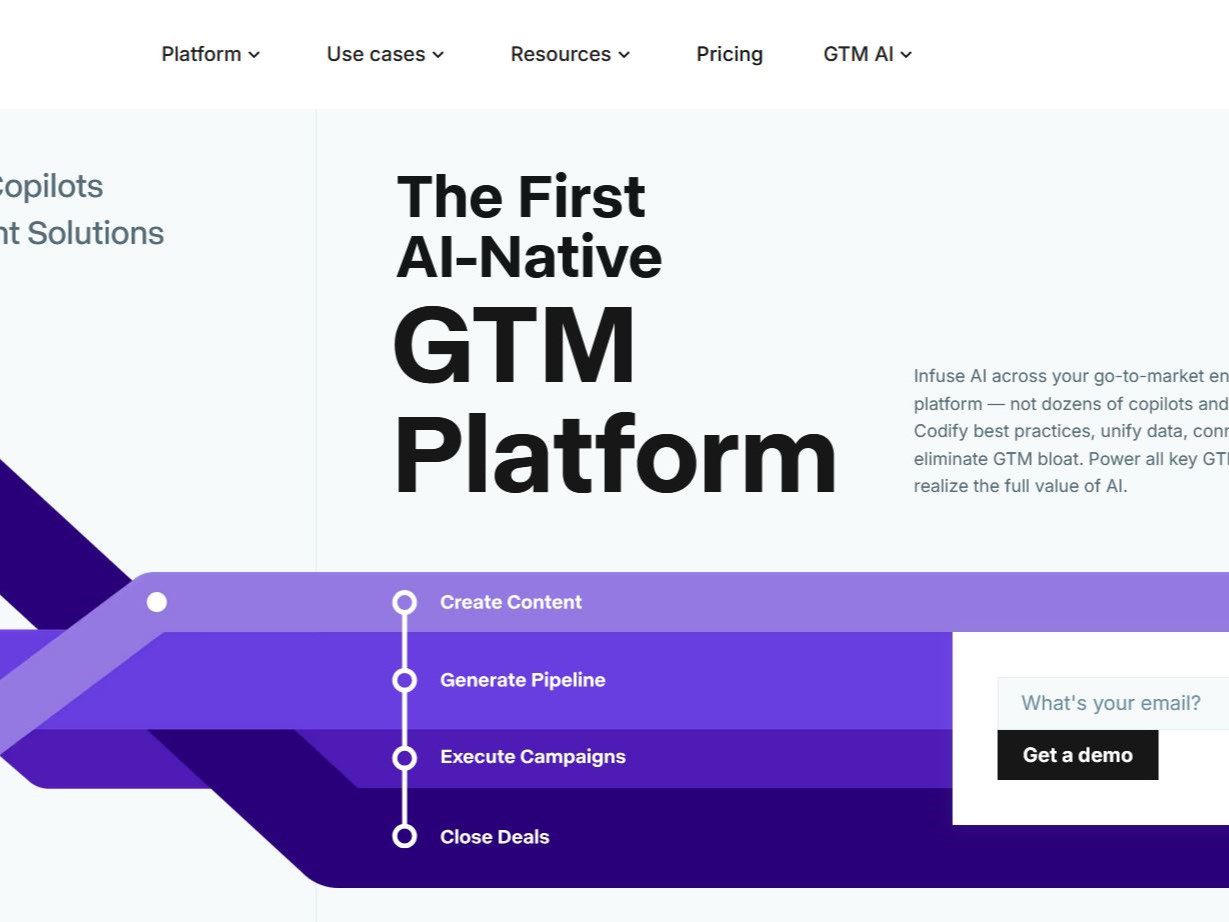
Copy.ai started as an AI copywriting tool and has repositioned itself as a go-to-market AI platform. The product today has three working surfaces. Chat gives a team multi-model access to OpenAI, Anthropic, and Gemini models in one interface. Workflows chain research, content generation, and tool actions into automated processes, such as turning a webinar transcript into a set of channel-ready assets. Infobase stores brand guidelines, positioning documents, personas, and sample content that Chat and Workflows can reference, so outputs start from company facts instead of generic guesses. The support knowledge base and the copyright footer now run under Fullcast, Inc., which acquired Copy.ai; the product itself continues to operate on copy.ai.
The repositioning matters for buyers. Copy.ai now sells to revenue and marketing operations teams with repeatable processes, not to individuals who occasionally need a paragraph. Its own marketing argues against both generic copilots and autonomous AI SDRs, pitching codified processes with a human approving the output.
A realistic workflow
A workable starting pattern looks like this. First collect the reference material, meaning style guidelines, approved claims, product facts, and examples, into Infobase with tags. Next build one workflow for one real task with a measurable owner, for example account research before outbound, or repurposing each new blog post into a LinkedIn update, a newsletter item, and a short video script. Start the draft with the workflow builder chat, which generates an initial set of steps from a plain-language description, then replace demo steps with real ones. Run it on a handful of real inputs and read every output before anything reaches a customer. Only after that should you connect triggers and integrations such as Salesforce or HubSpot, and even then keep a review step in the chain.
Brand Voice needs separate attention. The support docs describe a manual step, copying the brand voice instructions into the prompt section of each relevant workflow step, since direct in-workflow Brand Voice support was still listed as forthcoming in the docs we checked. Plan for that copy-paste work instead of assuming the feature handles it.
Practical tips
- Curate Infobase before scaling workflows. Generic outputs usually trace back to thin context. Tag guidelines, positioning, and persona documents, and prune entries that contradict each other, because retrieval can surface either.
- Watch the credit counter on early runs. Each workflow run consumes credits that scale with steps and generated content. The run side panel shows credits used, so measure the cost of a representative batch before inviting the whole team.
- Keep approvals inside the workflow. The product's own guidance for scaling emphasizes keeping a human in the loop. Route generated drafts to a reviewer before export or CRM writeback rather than checking samples after the fact.
- Compare models on your own brief. Chat exposes multiple model providers. Running the same brief across two of them is a cheap check for hallucinated product claims before a workflow hard-codes one model.
- Organize by team space from day one. The default General space is visible to everyone in the organization. Personal spaces stay private. Setting folder and space conventions early avoids cleanup later.
Plans and what they assume
On the pricing page checked in September 2026, the self-serve entry point is Chat at $29 per month for five seats with unlimited chat words, or $24 per month billed $288 yearly. Workflow automation starts far higher, with Growth at $1,000 per month billed yearly for 75 seats and 20,000 workflow credits per month, Expansion at $2,000 for 150 seats and 45,000 credits, and Scale at $3,000 for 200 seats and 75,000 credits. Enterprise adds guided implementation, API access, bulk workflow runs, and a designated support team at custom pricing. There is no public free tier on the current page. The gap between a $29 chat plan and a $1,000 workflow plan is the clearest statement of who this product is for.
Limitations and risks
Unlimited chat words do not extend to automation, since workflows bill by credits and complex runs cost more per run. Factual accuracy depends on what you load into Infobase and what connectors fetch; the platform does not verify claims about your market. Pricing now assumes team-scale budgets, which prices out solo writers who need occasional drafts, and those users would be paying for seats and credits built for something else. After the Fullcast acquisition, roadmaps and packaging can shift as the two portfolios merge, so treat any single page, including pricing, as a snapshot and confirm terms during procurement.
Security and data handling
Copy.ai's trust page states that it does not train models on customer data, does not share prompts between customers, does not sell data, and offers a SOC 2 report on request. Those statements are the vendor's own claims and a reasonable starting point, yet they do not replace your review. Before loading CRM records or unreleased positioning documents, confirm the applicable data-processing terms, retention and deletion behavior, subprocessors, and regional hosting for your own account, and verify whether the no-training commitment covers all connected model providers.
Vendor-published results and how to read them
The most visible public outcome claims sit on Copy.ai's own pages. Its pricing page cites selected customers with figures such as $2.6 million in cost savings and an 80 percent cut in operational costs on a product-review catalog content project. These are marketing claims chosen by the vendor, not audited third-party results. A sensible reading treats each number as a question for the sales process, asking which workflow produced it, over what period, with how much team effort, and whether a reference customer can confirm it. The support docs also show regular customer office hours where teams scale workflows in public view, which is a lower-hype channel for seeing real usage.
Who should use it, and who should not
Copy.ai fits revenue and content operations teams that run enough repeated processes for automation to pay back a four-figure monthly commitment, and that have someone accountable for reviewing outputs. Marketing teams producing high volumes of localized or repurposed content are the central use case. It is a poor fit for an individual blogger, a team needing one-off creative campaigns rather than repeatable processes, or organizations that cannot staff the review step. For brand-governance-first marketing suites, compare Jasper; for SEO drafting workflows, see Surfer SEO; the fuller comparison is in our marketing-team alternatives guide.